Reading practice
How to learn a language by reading books
Choose a manageable book, read for meaning, decide which words to look up, and build a reading routine, with a screenshot walkthrough in Kalima for iPhone.
Screenshots illustrate the app; book text and the pronunciation example retain their original language.
1. Pick a book you want to read
Learning a language by reading can be a simple loop: open a book, read a short passage, listen to it, say a sentence aloud, and save a useful word to review later. This guide walks through that loop in Kalima on iPhone, using the screens you will see along the way.
If a novel feels too difficult, try a short story, a familiar topic, or a graded reader written for learners. Sample a page before committing. A useful starting text lets you explain the main idea even when some words are new; you can return to the harder book later.
Open a title from your Library or resume one under Continue Reading. To bring your own book, use the plus button and import a supported file, such as an EPUB or PDF. Choose something that interests you and read its opening paragraph. If you cannot follow the situation without translating nearly everything, try an easier text. How to read EPUB and PDF books with translations on iPhone
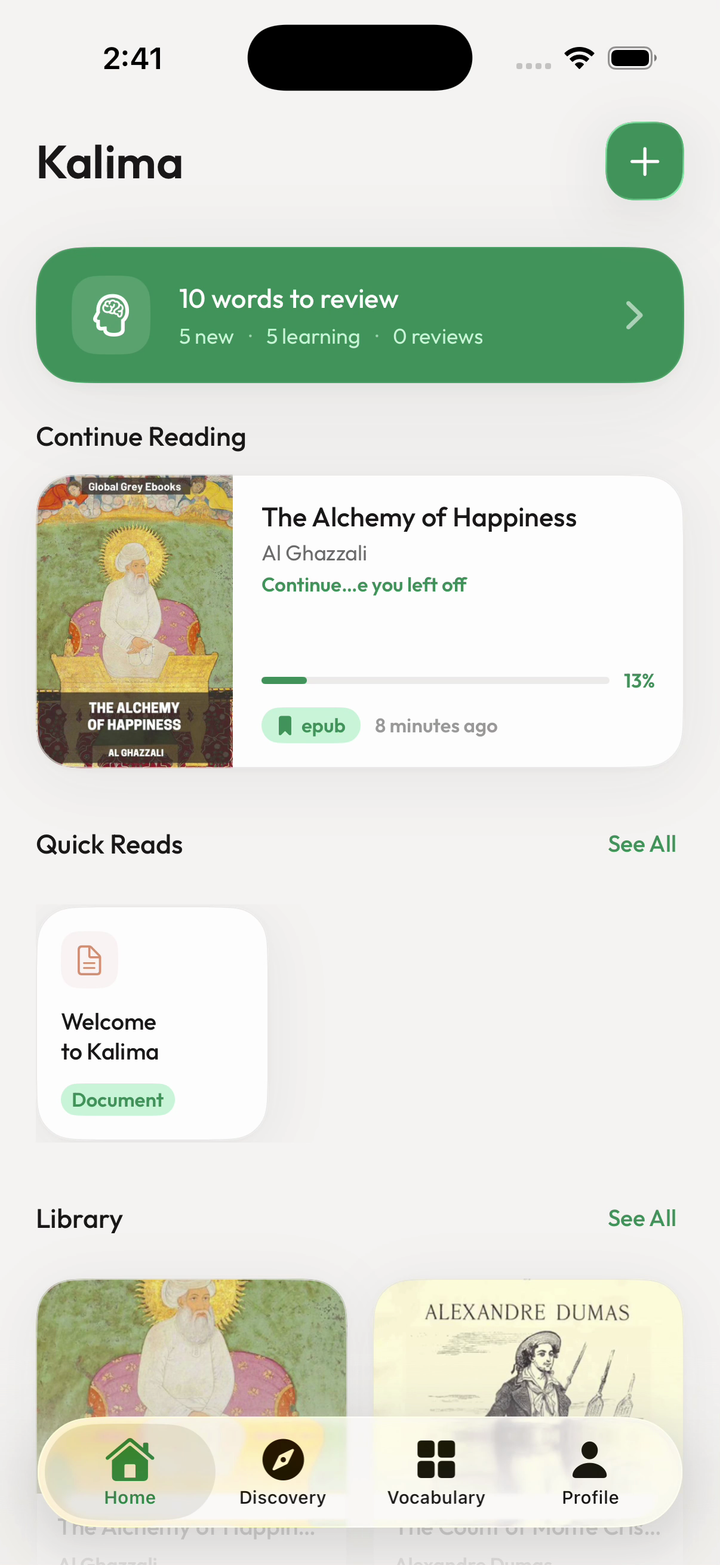
The screenshots below show different books and learning languages; follow the same steps with your own text. Open any screenshot for a closer look. For a first session, one paragraph is enough.
2. Read for the meaning first
Read a few sentences before opening a definition. Ask yourself what the passage is saying: who is involved, what happened, or what idea the author is explaining. You can leave an unfamiliar word alone for a moment if the rest of the sentence makes sense.
Separate reading for the story from studying a difficult sentence. Read a short section for its main idea, then revisit a sentence that blocked your understanding. Look up what you need, read the section again, and briefly explain it in your own words. You can use this routine with a paper book or a reading app.
In the reader view shown next, the text is separated into passages with translation, play, and microphone controls underneath. Start by reading the text itself. If you lose the meaning of a whole passage, use its translation control to check your understanding, then return to the original.
3. Listen to a sentence and follow the text
Use the play button below the passage to hear it read aloud. Follow the highlighted text with your eyes and notice where the voice pauses. Replay a short section that sounded unfamiliar before moving on. You are connecting the words on the page with how they sound.
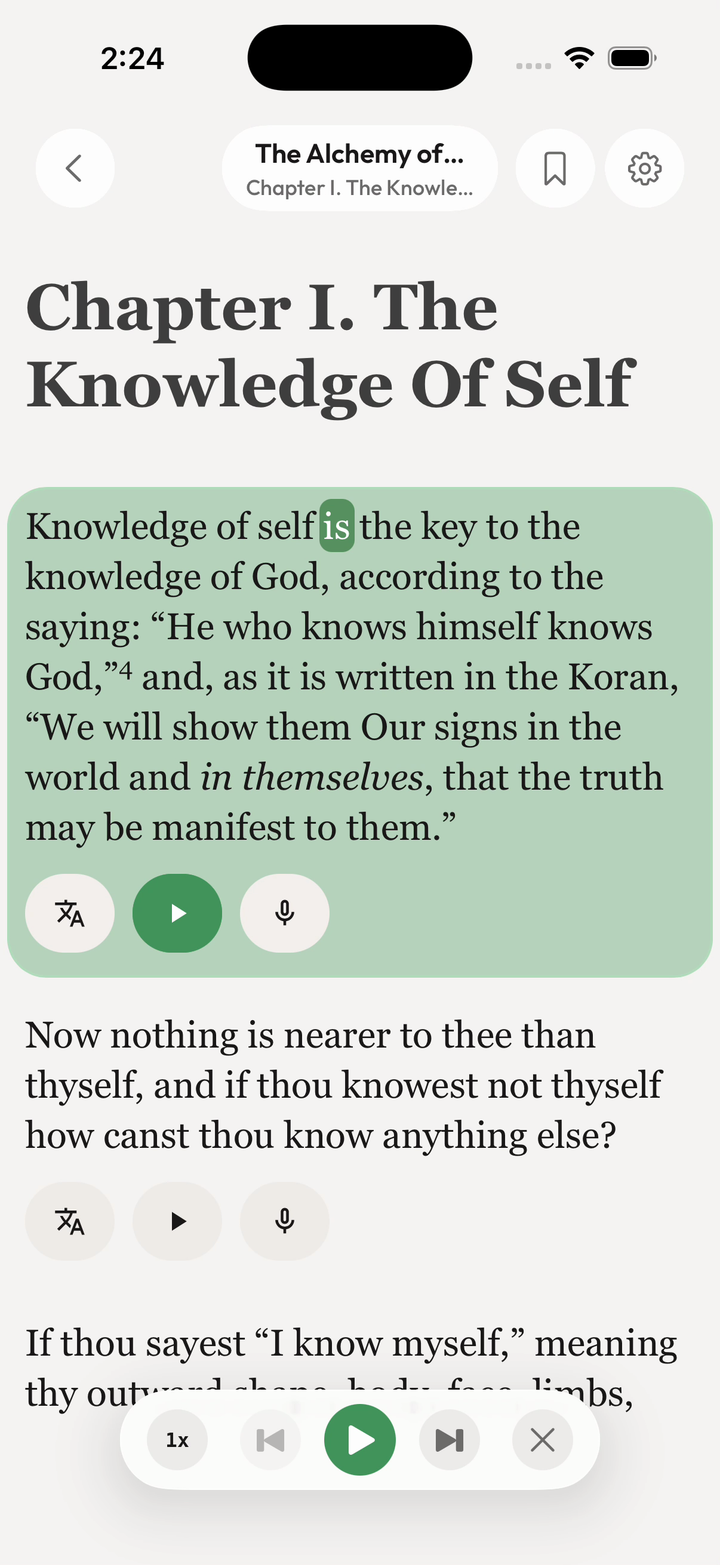
Read the passage once more without the audio. Then listen again if you want to check its rhythm. Keep the section short enough that you can follow it comfortably.
4. Say it aloud and check the feedback
Tap the microphone control for the passage and read the displayed phrase aloud. Compare the target phrase with the words Kalima recognized. The useful question is specific: which part should you try saying again?
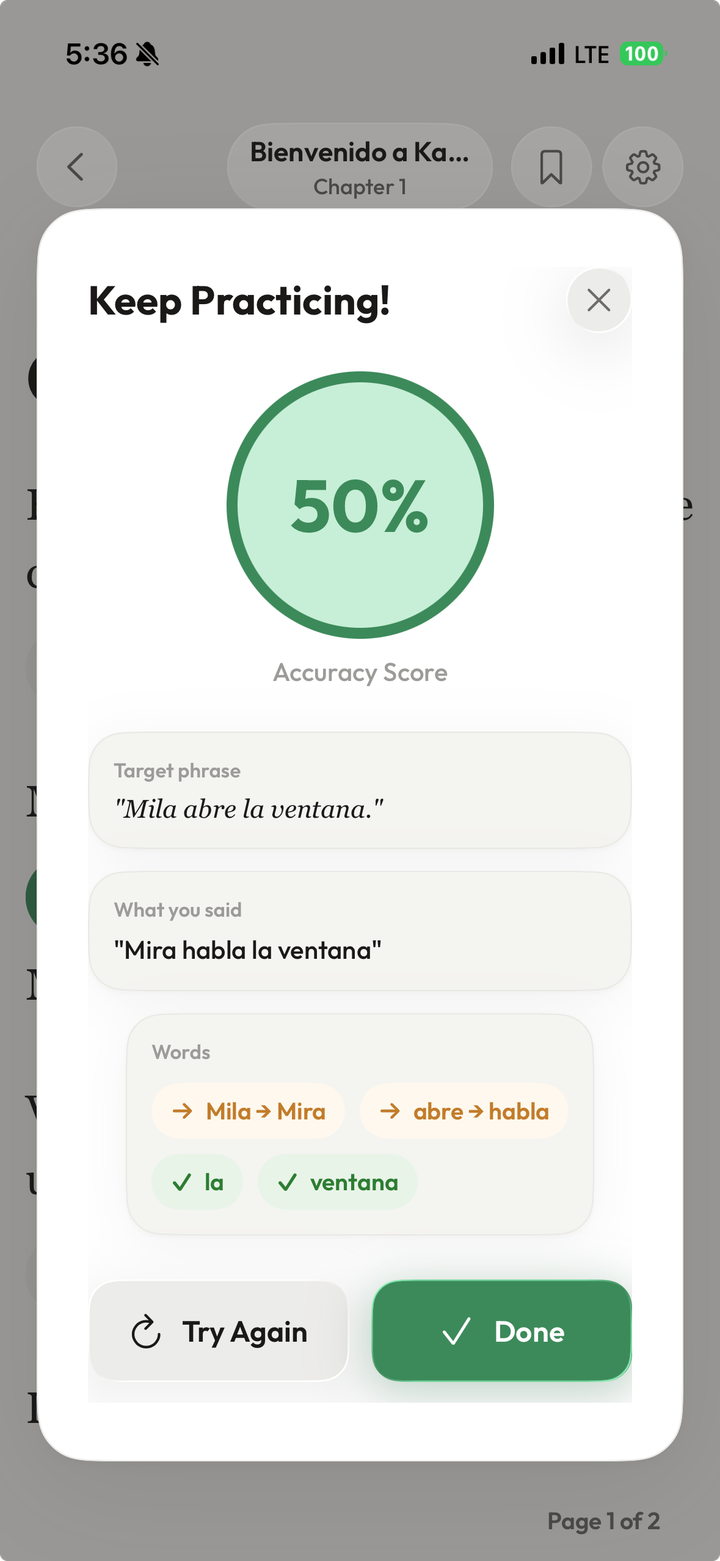
Here, the target is “Mila abre la ventana.” The recognized phrase is “Mira habla la ventana,” so “Mila” and “abre” are marked as different while “la” and “ventana” match. Listen to the target again, focus on those first two words, and use Try Again. Choose Done when you are ready to continue.
Treat the score as feedback on the recognized phrase, rather than a grade for your accent or overall speaking ability. What matters for this exercise is noticing a difference and making another attempt.
5. Tap a word you want to understand
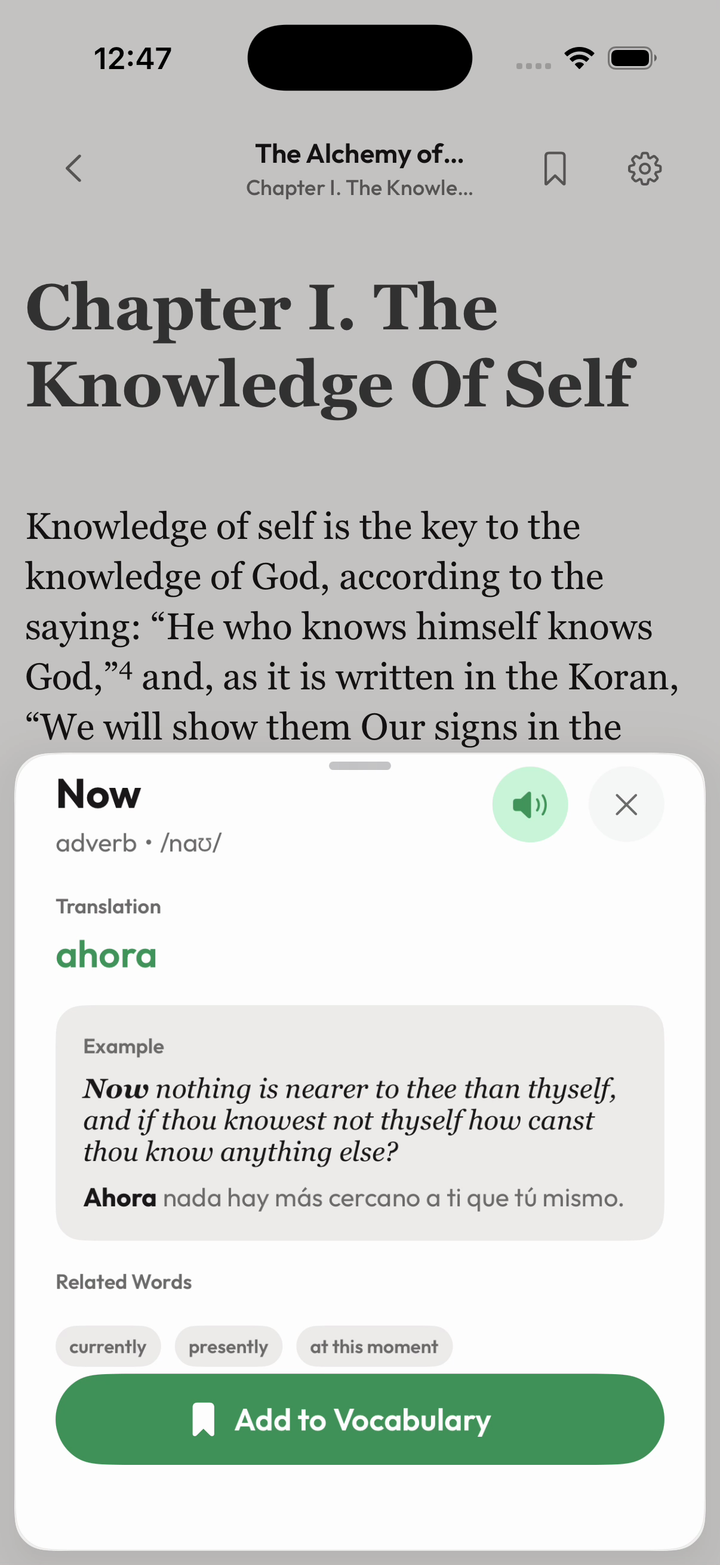
Return to the text and tap an unfamiliar word. The lookup panel brings its translation and an example into view. Read the example alongside the meaning so you understand how the word fits this book. The speaker button also lets you hear the word.
6. Save a useful word with its context
Tap Add to Vocabulary in the lookup panel. Kalima keeps the word with its sentence and source, so it remains connected to your reading. Choose a word you expect to meet again or one that was important to understanding the passage. You do not need to save every lookup. Turn reading vocabulary into flashcards with context
7. Review, then return to your book
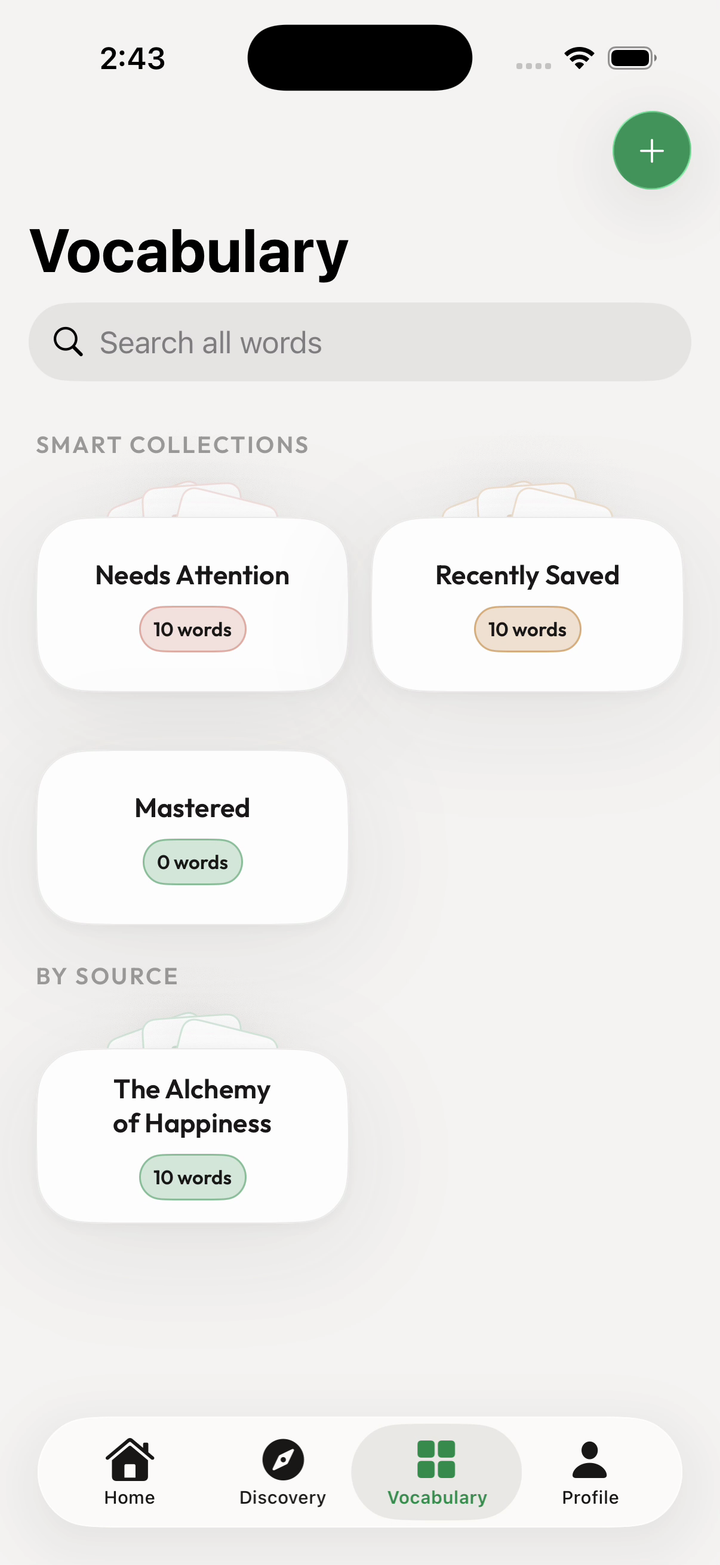
Open the words-to-review card on Home to practice saved vocabulary. Try to recall the meaning before checking it, then connect it to the example sentence. For the word shown here, “Now” means “ahora” in the context of the saved English passage.
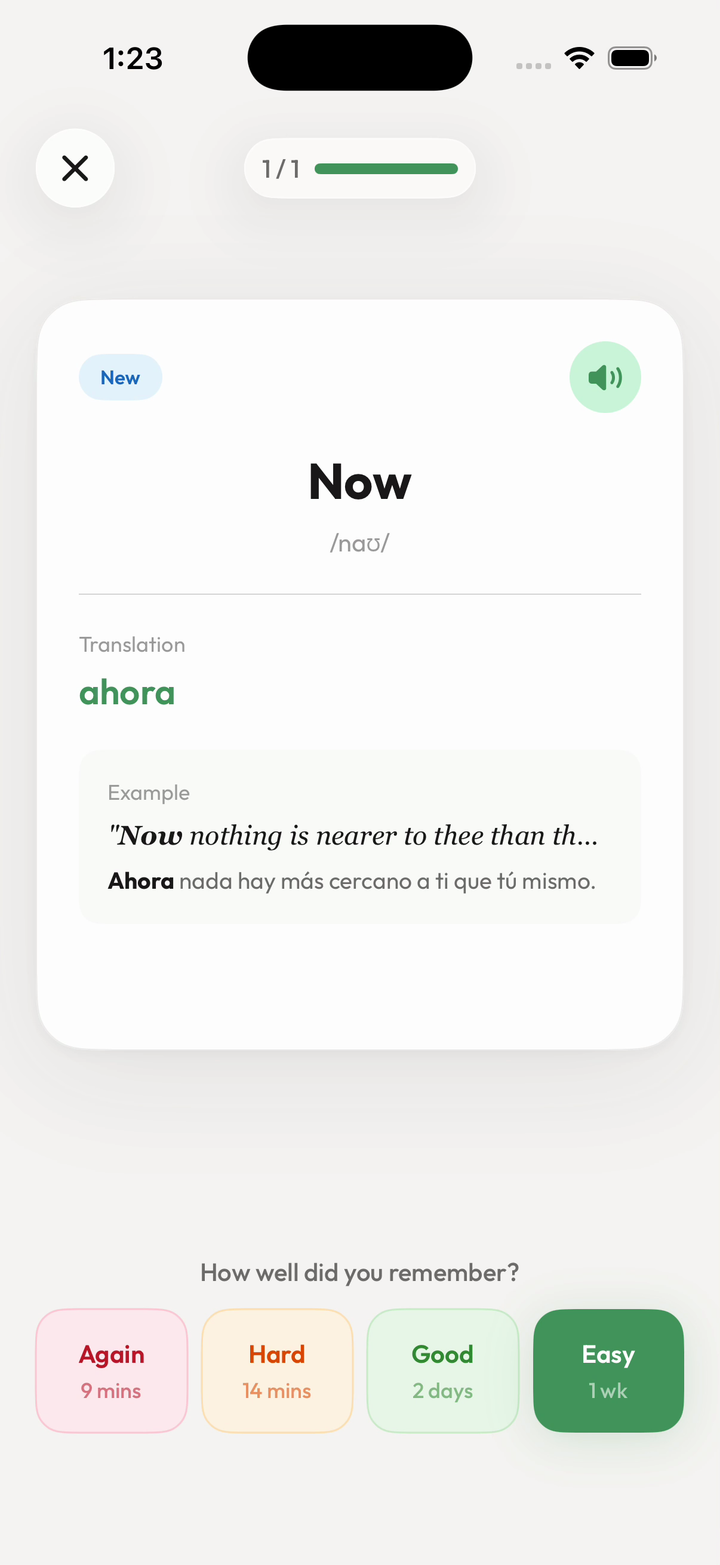
Choose Again, Hard, Good, or Easy to reflect what you remembered. Then return to the paragraph and read it again. Finish by continuing the story: a little reading, listening, speaking, and review can all come from the same page.